






















































Free Estimating Software In today’s fast-paced business world, accurate project estimation is more than just a task—it’s a critical skill that can define your profitability. Whether you’re running a construction firm, a small contracting business, or offering specialized services, knowing the cost before starting a project is essential. Traditionally, estimating was a tedious process involving spreadsheets, calculators, and piles of paperwork. But thanks to free estimating software, this process has become simpler, faster, and more accurate than ever.
This guide explores everything about free estimating software, from its benefits and essential features to top tools and tips for maximizing its potential. Whether you’re a small business owner or a professional contractor, this article will help you navigate the world of estimating software like an expert.
What Is Free Estimating Software?
Free estimating software is a tool designed to calculate project costs, generate client quotes, and manage budgets—all without requiring a paid subscription. Unlike traditional estimating methods, which rely on manual calculations or complex spreadsheets, these tools automate many aspects of the process, saving both time and effort.
Essentially, this software acts as a digital assistant for your business. It can handle calculations for labor, materials, equipment, and overheads with far greater accuracy than manual methods. Many free tools even provide templates for quotes, proposals, and reports, ensuring your documents look professional without any additional design work.
While some may think “free” means limited functionality, the truth is that many free estimating tools are surprisingly powerful. They often include core features sufficient for small to medium projects, and they offer optional premium upgrades for businesses that require advanced capabilities. This makes them an excellent starting point for businesses that want professional-grade estimating without upfront costs.
Why Free Estimating Software Is Essential
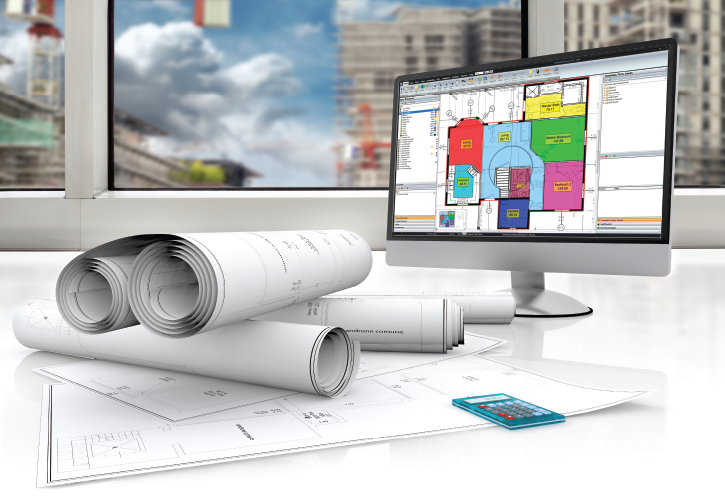
1. Cost Savings
The most obvious advantage of free estimating software is cost efficiency. Running a business comes with numerous expenses, and investing in software isn’t always feasible for startups or small firms. Free tools give you access to essential estimating features without straining your budget.
But the financial benefits go beyond the software itself. Accurate estimates help prevent costly errors and project overruns. For example, underestimating labor or material costs can lead to budget shortfalls, while overestimating can result in lost clients. Free estimating software helps strike the perfect balance, ensuring that every project is profitable.
Some free tools even offer scalable options. You can start with the free version to test the software and later upgrade to premium plans as your business grows. This flexibility ensures that you’re only paying for what you need when you need it, making it a smart long-term investment.
2. Time-Saving Automation
Manual estimating is time-consuming, especially for complex projects. Calculating labor, materials, and overheads by hand takes hours, sometimes even days. Free estimating software automates these tasks, reducing your workload and allowing you to focus on project planning and client communication.
Automation also reduces human error, which is one of the biggest causes of cost overruns. The software ensures that calculations are consistent and accurate, giving you peace of mind that your estimates reflect the true cost of the project.
Additionally, many free tools integrate with other platforms such as spreadsheets, accounting software, or project management apps. This eliminates duplicate data entry and streamlines workflows, making your operations more efficient. The time saved can be redirected towards growing your business or taking on more projects.
3. Improved Accuracy and Professionalism
Accuracy is crucial in estimating. Mistakes can result in financial loss, dissatisfied clients, or even damaged reputations. Free estimating software minimizes errors with automated calculations and built-in cost databases.
Most free tools also provide templates for professional quotes and proposals. Even without design expertise, you can present polished documents to clients that reflect the quality and seriousness of your business. This professional touch can improve client trust and increase the likelihood of winning projects.
Moreover, some software allows tracking historical data, helping businesses refine future estimates. Over time, this feedback loop improves accuracy and efficiency, turning free estimating software into both a practical tool and an educational resource.
Key Features to Look for in Free Estimating Software
Not all free estimating software is created equal. Some offer only basic features, while others rival paid solutions. Knowing what to look for ensures you choose a tool that suits your business needs.
1. User-Friendly Interface
Even the most powerful software is ineffective if it’s difficult to navigate. A good free estimating tool should have an intuitive interface with clear menus, dashboards, and step-by-step guidance.
Many tools also include preloaded templates for different industries such as construction, landscaping, or event management. These templates save time and make it easier to create accurate estimates without advanced technical knowledge.
The goal is to minimize the learning curve. Software adoption is essential, and a user-friendly interface ensures your team can start producing accurate estimates immediately.
2. Customization Options
Every business is unique, and your estimating software should reflect that. The best free tools allow you to customize templates, cost categories, and calculations according to your business model.
For instance, a contractor might need categories for labor, materials, permits, and equipment, while a freelance consultant may only require labor and overhead. Customization ensures estimates are tailored to your projects and provide the most accurate cost projections.
Some software even allows branding with your logo, client details, and personalized notes. This creates professional-looking estimates that enhance your credibility with clients.
3. Reporting and Analytics
Estimating isn’t just about creating quotes—it’s about understanding your business. Many free estimating tools offer reporting features that track costs, profits, and project performance.
Analytics help identify trends, such as which projects are most profitable or which cost areas are consistently underestimated. This information empowers businesses to make smarter decisions, refine estimating practices, and improve overall project management.
Top Free Estimating Software Options
Several free estimating software tools are popular among businesses due to their ease of use, features, and reliability. Here’s a look at some top options:
1. Estimator 360
Estimator 360 is a cloud-based tool designed for construction professionals. It offers features like material cost tracking, labor calculation, and proposal generation.
Its interface is intuitive, allowing users to create detailed estimates quickly. While the free version provides robust features for small projects, premium upgrades offer advanced analytics and integrations for larger operations.
This software is especially suitable for contractors looking for a balance between simplicity and functionality.
2. JobFLEX
JobFLEX is perfect for contractors, landscapers, and service providers who need mobile access. It allows users to create estimates on the go, send proposals directly to clients, and track costs in real-time.
The free version is fully functional for small teams, making it ideal for startups or freelancers. Its mobile app ensures that estimates can be generated and sent from anywhere, providing convenience and efficiency.
3. Clear Estimates
Clear Estimates is popular among remodeling contractors and builders. It features drag-and-drop estimating, a material cost database, and built-in tax calculations.
Even the free version allows users to generate professional proposals and track estimates efficiently. Clear Estimates integrates well with Excel and QuickBooks, making it easy to manage both estimates and finances in one place.
4. Costimator Express
Costimator Express caters to manufacturers and fabricators. It specializes in part cost estimation, factoring in labor, materials, and overhead.
Its user-friendly interface allows rapid quote creation, while a material and labor cost database ensures accuracy. The free version is perfect for small businesses looking to streamline production cost estimation.
How to Choose the Right Free Estimating Software
Selecting the right tool requires careful consideration. Here are some steps to ensure you make the best choice:
1. Evaluate Your Business Needs
Start by listing your estimating requirements. Are you in construction, manufacturing, or service-based industries? How complex are your projects, and what cost categories do you need to track?
Understanding your needs ensures you choose software that fits your workflow without unnecessary features that might complicate usage.
2. Consider Usability and Support
Ease of use is critical. Test the software for its interface, tutorials, and support options. Many free tools offer community forums, FAQs, and guides that make troubleshooting easier.
A user-friendly experience ensures quicker adoption and reduces mistakes in estimates, which can otherwise lead to financial losses.
3. Look at Integration and Scalability
Your estimating software should integrate with other business tools, such as project management apps, accounting software, or spreadsheets. This eliminates repetitive work and keeps your operations synchronized.
Also, consider scalability. Even if your current projects are small, choosing software that can grow with your business prevents the need to switch tools later. Many free tools offer premium upgrades that add advanced features as your business expands.
Tips for Getting the Most Out of Free Estimating Software
Even the best software is only useful if used correctly. Here are some tips to maximize the benefits of free estimating tools:
- Keep Templates Updated: Ensure that your cost databases reflect current labor rates, material prices, and taxes.
- Track Historical Data: Store past estimates to refine future projections. Historical data helps improve accuracy and identify trends in project costs.
- Leverage Reporting Tools: Use analytics to understand profitability, identify recurring cost overruns, and optimize resource allocation.
- Train Your Team: Provide proper training so everyone understands how to use the software effectively. Even free software can be underutilized without proper knowledge.
By implementing these practices, businesses can turn free estimating software into a powerful tool that improves efficiency, accuracy, and profitability.
Conclusion
Free estimating software has transformed the way businesses plan and manage projects. By automating calculations, providing professional templates, and offering insights into costs and profitability, these tools simplify the estimating process while saving time and money.
Whether you choose Estimator 360, JobFLEX, Clear Estimates, or Costimator Express, the key is to select software that matches your business needs, is easy to use, and can grow with your projects. With the right tool, businesses can produce accurate estimates, impress clients, and maximize profitability—all without spending a fortune.
For startups and small businesses, free estimating software isn’t just a convenience—it’s an essential part of running a professional, efficient, and profitable operation.
You May Also Read
Is a Bachelor’s Degree 4 Years